
Autonomous Vehicle
Build reliable autonomous vehicles faster with Foxglove.
Foxglove is a purpose-built platform to visualize, debug, and manage multimodal data, so you can accelerate and scale your physical AI development.
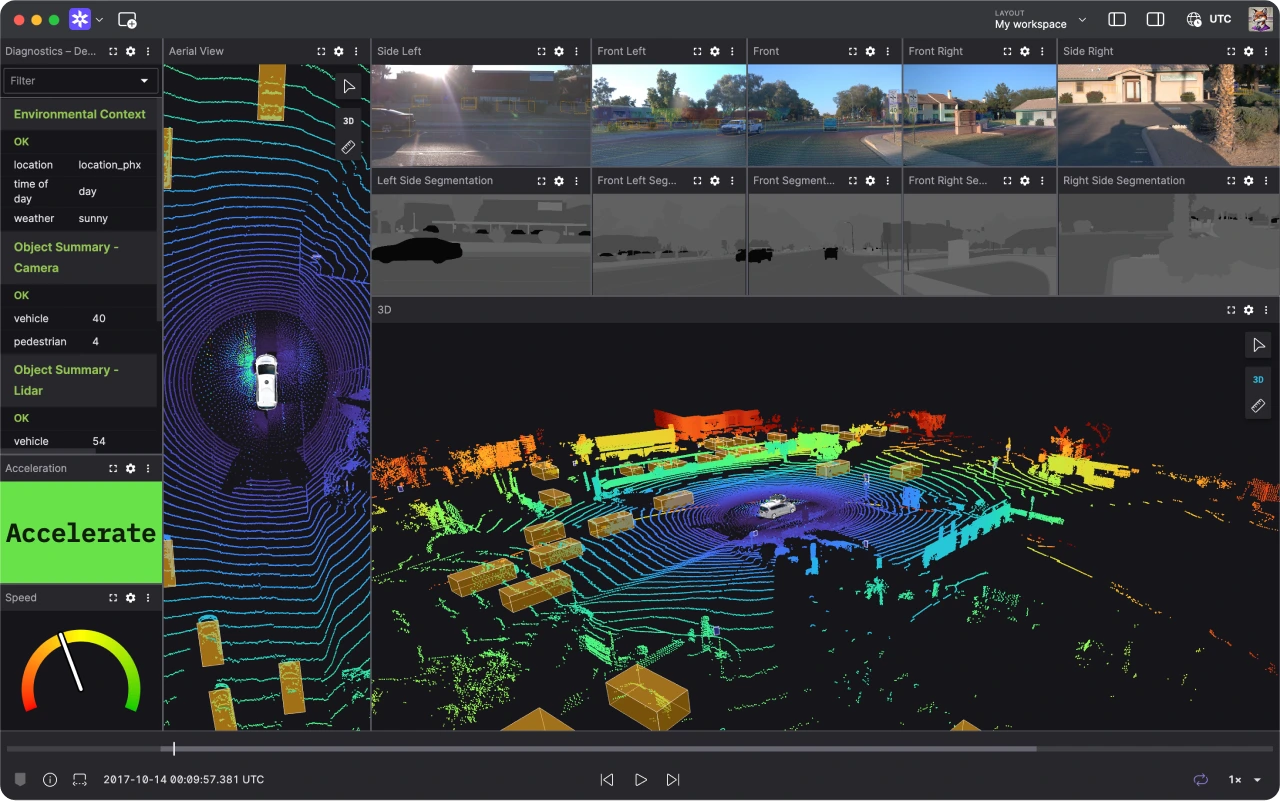
Leading autonomous vehicle companies build faster with Foxglove.
“By adopting Foxglove, we were able to focus on our unique differentiators.”

Daryn Nakhuda
Head of Software at Waabi
Visualization
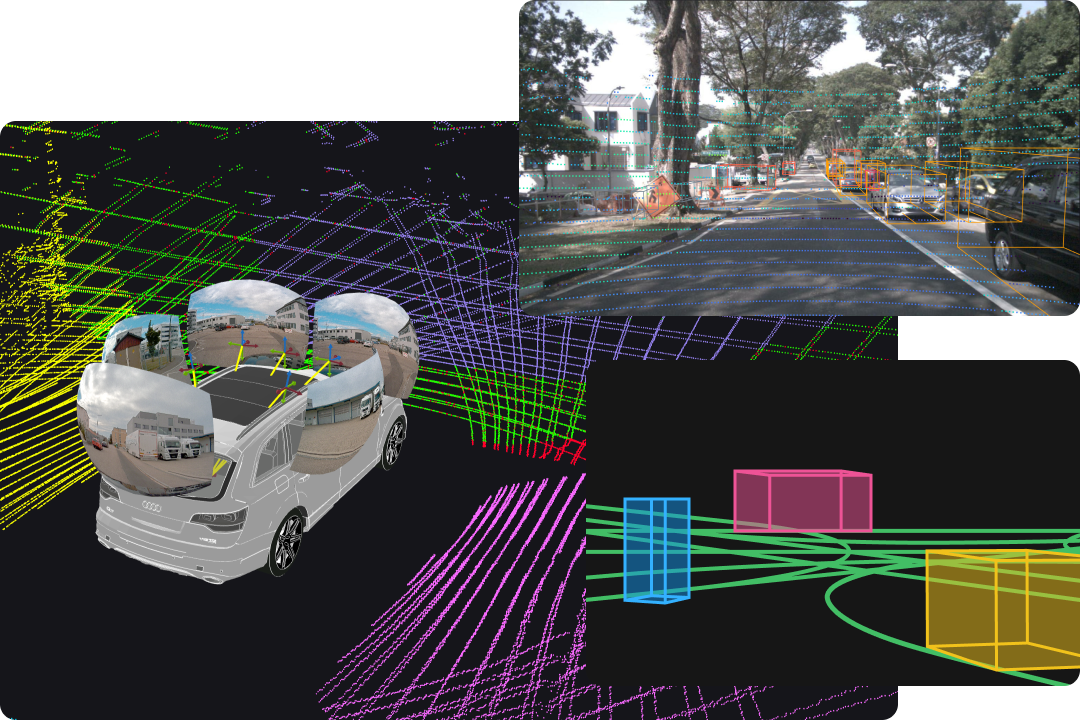
Visualize and interact with your AV.
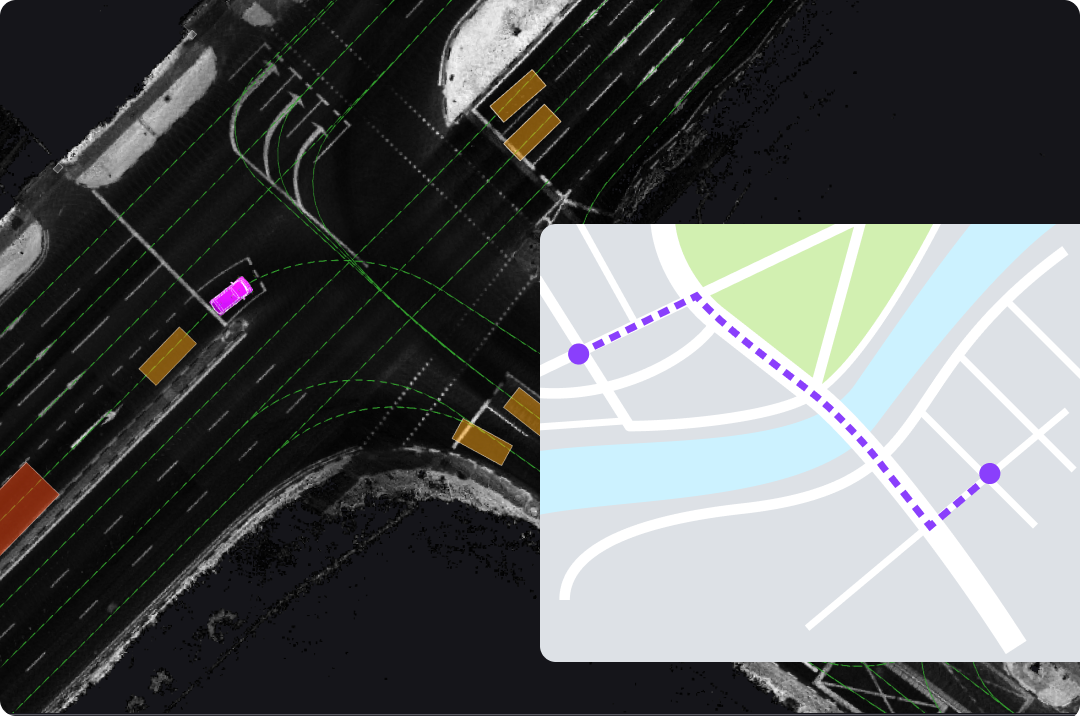
Enhance your ability to monitor, debug, and refine AV performance using an immersive 3D scene, complete with point clouds, transforms, world maps, markers, entities, camera images, meshes, and more.
Analysis
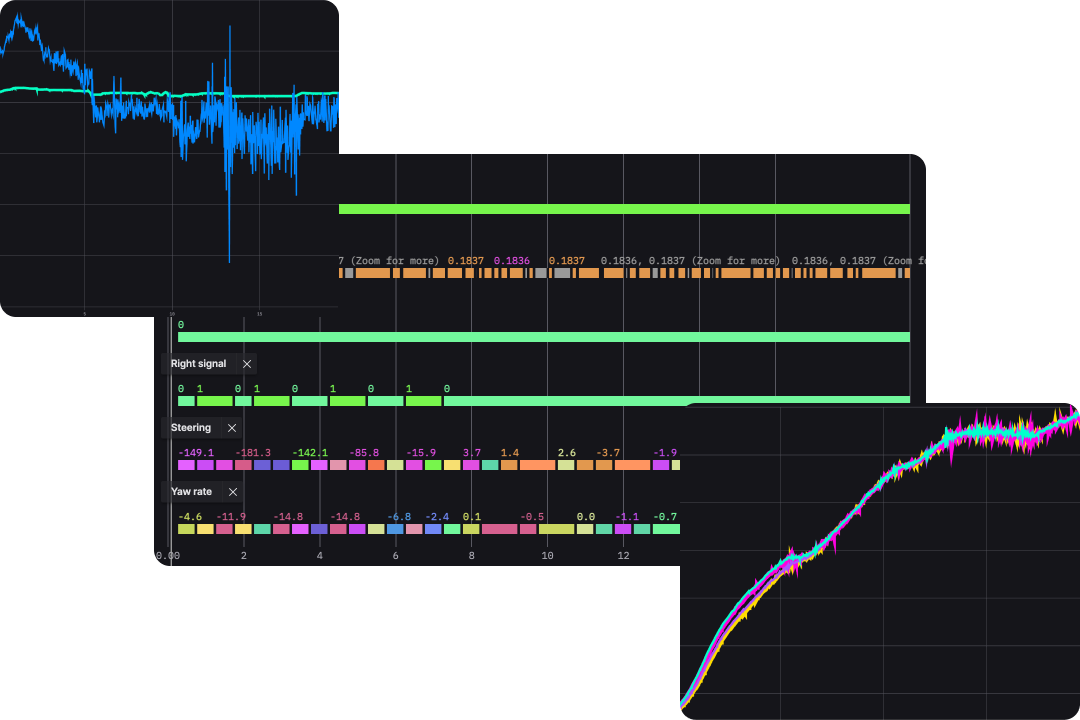
Gain deeper insights and correlate patterns.
Plot message values over time or as arrays at each timestamp to ensure smooth, uninterrupted analysis across the entire duration as you observe changes, patterns, and critical insights in your AV.
Analysis
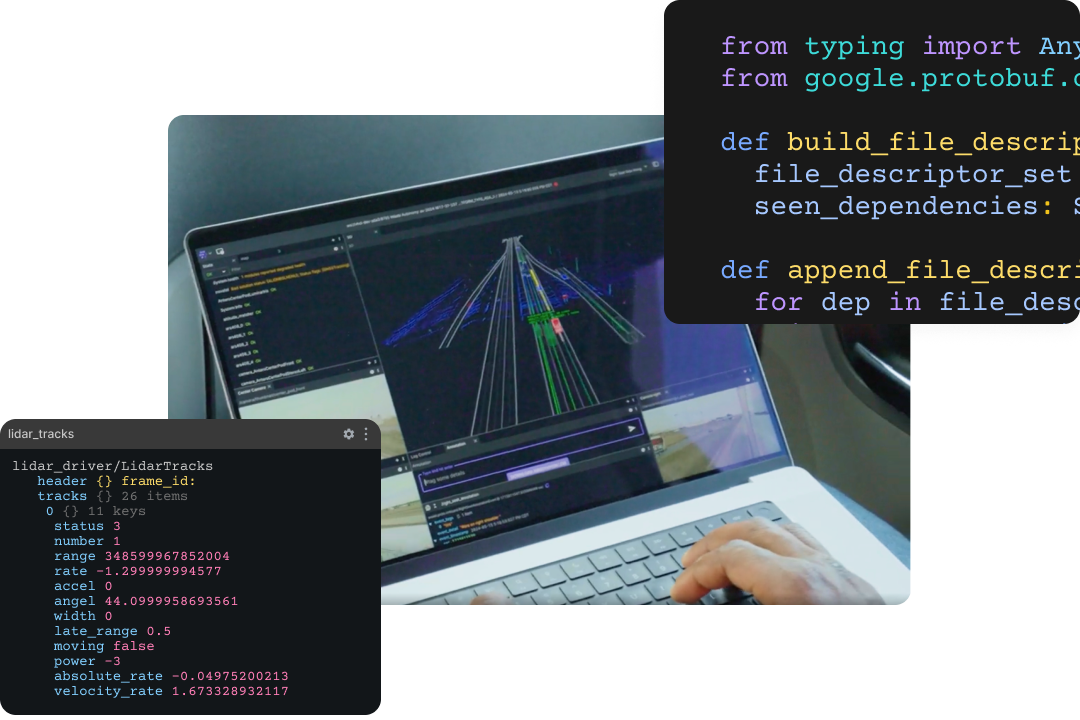
Understand complex AV behavior.
Drill down into your messages to gain a deeper understanding and debug the state of your autonomous vehicle effectively. Analyze complex AV behaviors over time and see exactly when and where shifts in state occur.
Visualization
Overlay geospatial data and improve planning.
Display GPS locations and overlay complex GeoJSON shapes, routes, and regions, to easily analyze geographic patterns, track movements, and correlate sensor data with specific locations.
Data Management
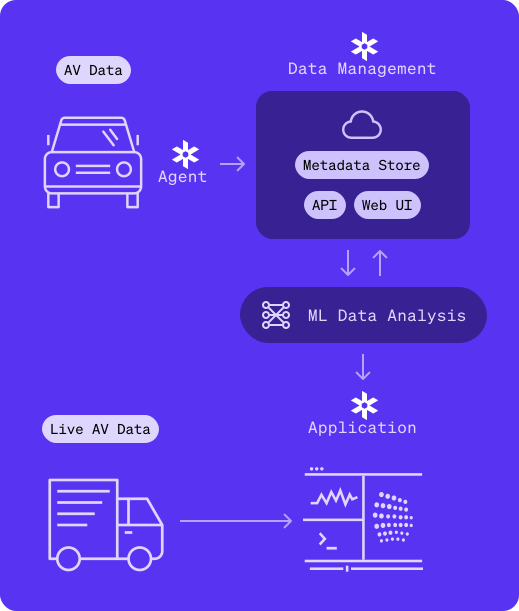
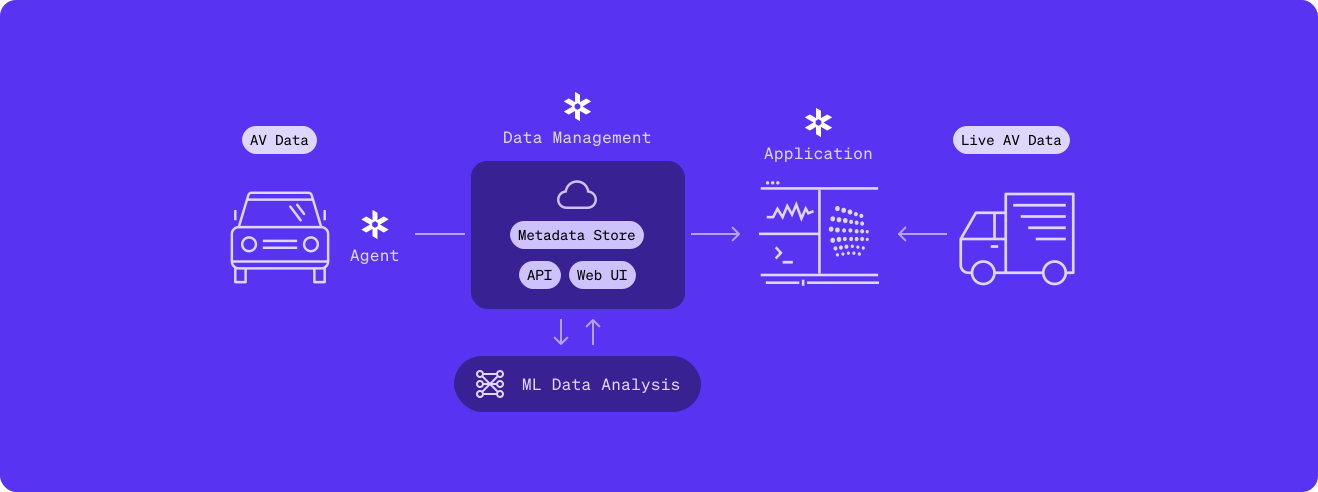
Foxglove streamlines your data management, so you can cut costs and focus on building reliable autonomy.
Foxglove simplifies data serialization, transportation, and processing—whether you're dealing with asynchronous data streams from diverse sources or trawling through petabytes of recorded data.
FAQ
Can I try Foxglove for free?
Yes, absolutely. Foxglove's free plan is available to everyone and will remain free forever. You can have up to 3 developer seats, 10 GB of cloud storage, and 5 connected devices (i.e., robots).
Are academic discounts available to students and researchers?
Yes. Students, professors, and researchers alike—anyone using Foxglove for academic purposes—can access Foxglove free of charge. Invite your entire lab or team, leverage the data platform, and take advantage of all Foxglove features to help advance the robotics community at large.
Can Foxglove be used for my particular robotics application?
Most likely, yes. Foxglove supports a wide range of data formats and offers several connection options, including the ability to use local files with no internet connectivity. Foxglove's extensibility also allows you to build bespoke panels, convert custom messages, alias topic names, and configure layouts to suit your unique needs. Read the documentation at docs.foxglove.dev/docs/connecting-to-data/introduction#data-sources to learn more.
What data formats does Foxglove support?
Foxglove natively supports MCAP, ROS 1, ROS 2, and custom formats like Protobuf, JSON, or FlatBuffers, using an encoding-agnostic WebSocket connection or a local or remote MCAP file.
What development workflows can Foxglove help my team with?
Foxglove's primary use cases include multimodal data visualization and management. Visualizing all your robotic data on a single screen enables you to troubleshoot and debug issues more quickly. Managing data through Foxglove's connections and platform creates seamless development loops: while your robot operates and records data, you identify issues, make improvements, redeploy, and repeat.
Are data recordings uploaded to Foxglove secure?
Yes, absolutely. Foxglove enforces HTTPS on all connections, encrypts data in transit with TLS 1.2, and secures data at rest with AES 256-bit encryption. Foxglove also uses single sign-on (SSO) and Security Assertion Markup Language (SAML) for secure authentication. Additionally, Foxglove is SOC 2 Type II certified and General Data Protection Regulation (GDPR) compliant. View the security page at foxglove.dev/security to learn more.
How long does it take to integrate and start using the Foxglove platform?
You can start using the Foxglove platform instantly. Simply drag .bag or .mcap files onto the screen to begin visualizing your data. Connecting to your robot is just as easy—use a WebSocket, the Foxglove Rosbridge, or the Foxglove Agent.
Do I need to sign up for a paid plan for my team to use Foxglove?
Not if your team has 3 or fewer developer seats. If your team needs more seats, you will need to sign up for the Pro plan to continue using Foxglove.