Connect Foxglove to your local player with PlaybackControl
Keep your existing data format, control playback from the Foxglove UI, and replay the same run again and again.

If your team already has a local executable that can load and seek through recorded data, Foxglove’s PlaybackControl capability lets you connect to it and control it right from the Foxglove UI.
PlaybackControl lets Foxglove’s UI control playback when your application streams data from a fixed time range over WebSocket. When you take an action in Foxglove, like playing or pausing, seeking on the playback bar, or changing the playback speed, Foxglove can send it to your application. It keeps ownership of the actual playback: it loads the data, handles requests, advances time, and returns updated playback state so Foxglove stays in sync.
Keep your player, keep your format
For robotics developers, you do not need to replace an existing loader or convert every workflow into a new format first before enjoying all the benefits of Foxglove’s world-class visualization capabilities. If you already have playback infrastructure for protobuf logs, ROS bags, or your own internal format, PlaybackControl lets Foxglove become the frontend for that workflow instead of forcing a rewrite. The result is a much shorter path from “we have data” to “we can inspect it, seek through it, and compare runs.”
Under the hood, the integration is straightforward. To support PlaybackControl, your server needs to advertise the start and end of the data, register a listener that handles playback control requests from Foxglove, broadcast the current playback time as messages are replayed, and send updated playback state whenever something changes. To learn more about PlaybackControl, check out our documentation. We also have examples in Rust, Python, and C++ that you can pattern-match to when integrating this capability into your own player.
An open-source example from Dexory
A good example of this pattern in practice is Dexory’s foxglove_mcap_player. The repository contains a ROS 2 node that plays back MCAP files with dual output: publishing both to Foxglove and enabling its playback controls, and republishing recorded data back to the robotics stack using ROS 2. It reads the MCAP summary, creates Foxglove channels, republishes CDR-encoded messages, plays messages back in log-time order, and broadcasts current playback time to Foxglove.
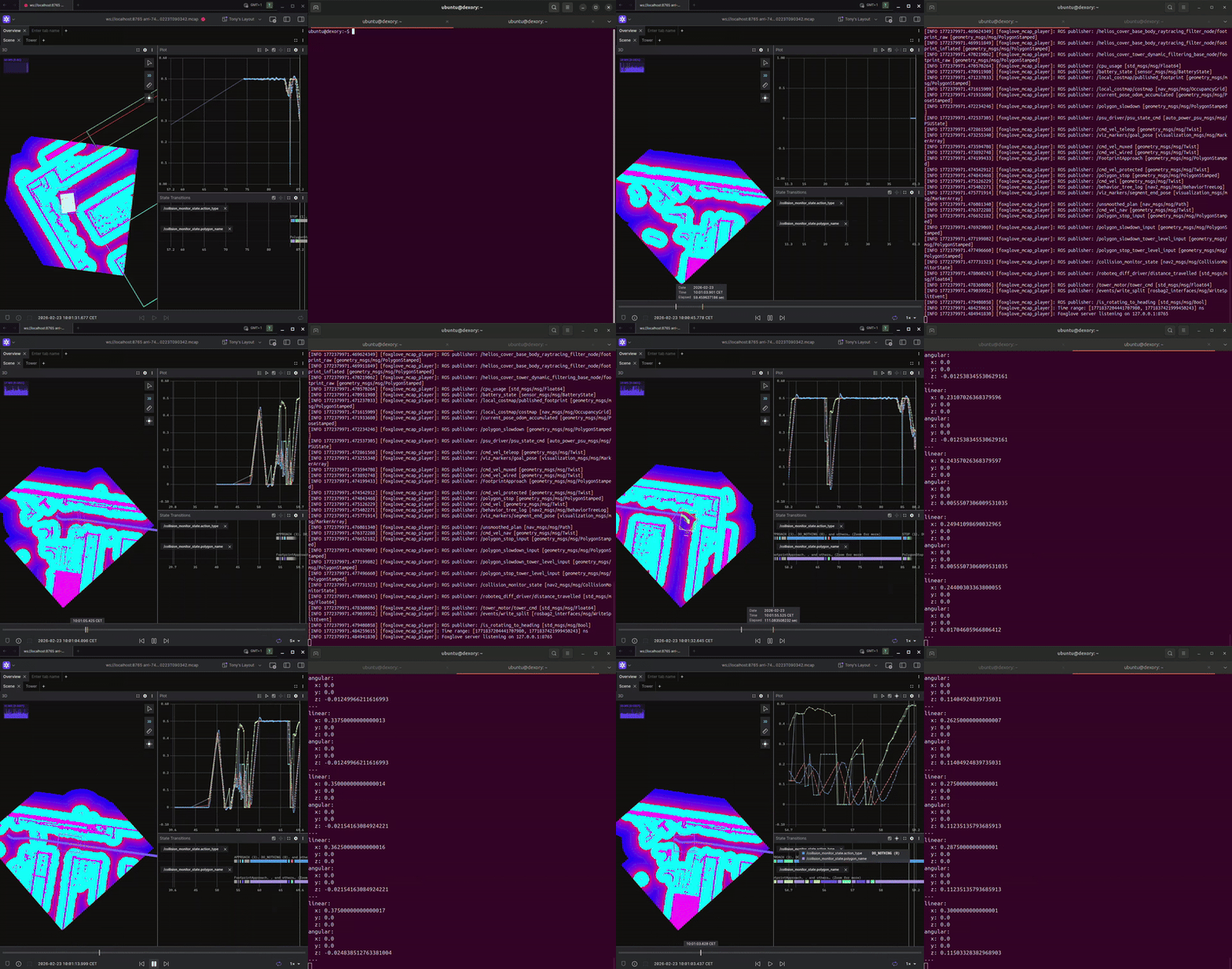
Dexory implementation of PlaybackControl in foxglove_mcap_player. Source: Dexory
Even if your own system is not MCAP-based, the Dexory example is useful because it shows the shape of a real integration: keep a dedicated player process, expose playback over WebSocket, and use Foxglove as the control and visualization surface.
Resources:
Getting Started
Download the latest Foxglove desktop app and connect to your local player over WebSocket to try PlaybackControl today. Check out the documentation and SDK examples in Rust, Python, and C++ to get up and running.
Join our Discord community or follow us on X and LinkedIn to stay up to date on all Foxglove releases.