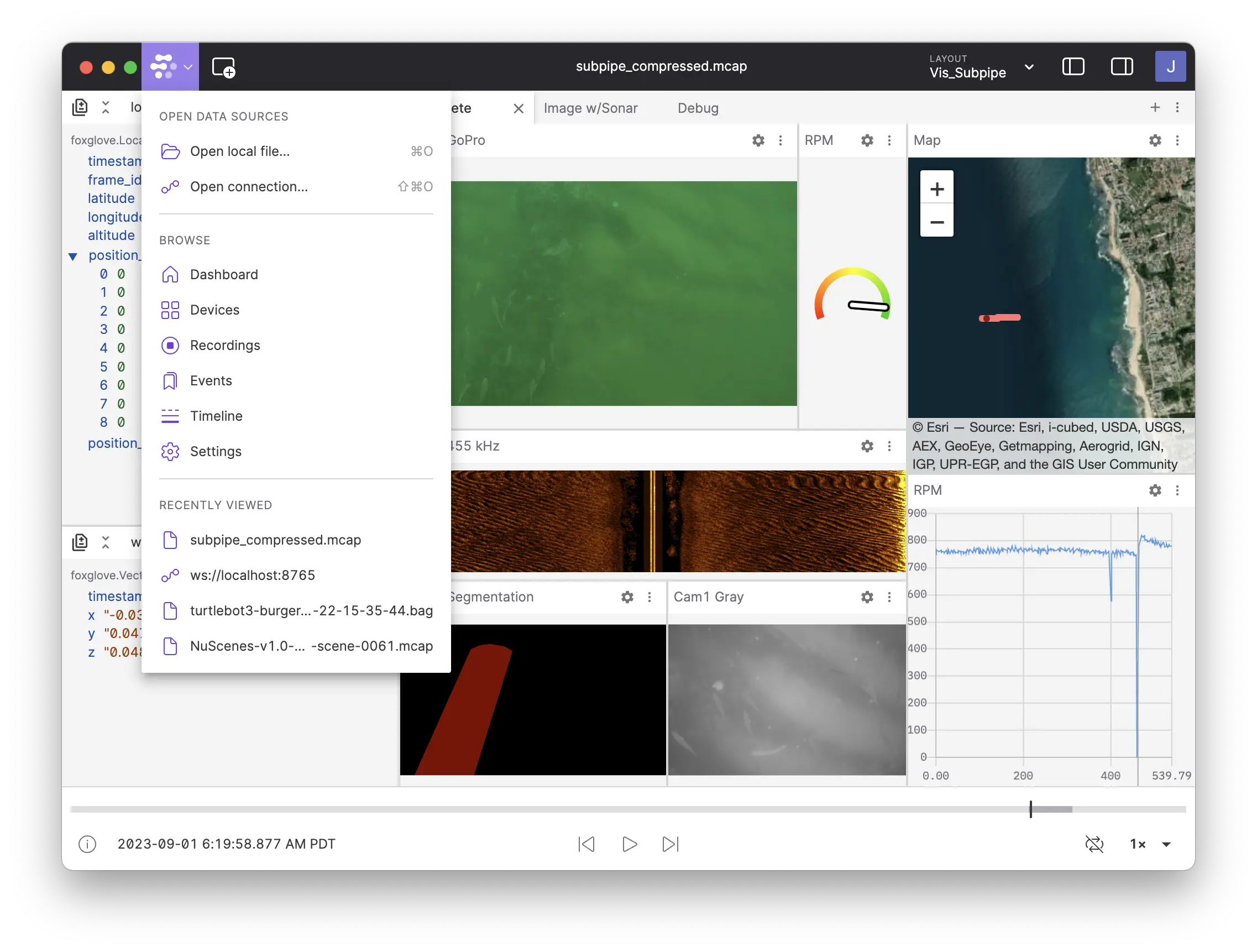
Foxglove vs. Foxglove Studio: Two Years On
A frozen 2024 visualization tool versus the data infrastructure platform Foxglove has become.

In February 2024, we shipped the last open-source release of Foxglove Studio (v1.87.0). Since then, Foxglove has shipped over 50 releases of the commercial product. Visualization has gotten materially faster and deeper, but the bigger change is that Foxglove is no longer just a visualization tool. It’s a data infrastructure platform for Physical AI, with a search engine over MCAP, sessions and events for curating training data, your own cloud storage as a first-class backend, an SDK for visualizing multimodal data with minimal dependencies (no complex middleware installs), and live remote connections to robots in the field.
If you’re running Studio 1.x or one of its community forks and wondering whether it’s worth the switch, this is for you.
A note on terminology: throughout this post, “Foxglove Studio” refers to the open-source 1.x line and any fork of it. “Foxglove” refers to the current commercial product available at app.foxglove.dev and as a desktop download.
When the OSS still makes sense
Let’s start with the case for staying put. Studio 1.x is a capable single-user visualization tool. If you’re a solo developer working on local MCAP or bag files, you have no team to share layouts with, and you’re happy with a tool frozen at February 2024, it works. Although if you are a single user, Foxglove is entirely free, so might as well upgrade to get all the performance enhancements.
Forks of Studio 1.x inherit the same shape: single-user, desktop-only, no data layer, no fleet layer. Some have added improvements; none have rebuilt the data and collaboration infrastructure that didn’t exist in the OSS. They’ve also taken on the long-term cost of maintaining a robotics visualization codebase, which is a cost that’s easy to underestimate. More on that below.
If your work fits inside Studio 1.x’s original shape, and the performance is acceptable, there’s no urgency. If it’s pushing past those edges with more engineers, more recordings, more devices, more time spent finding the right data, the gap is wider than it looks.
What’s changed in two years
1. Visualization keeps getting faster, deeper, and more capable
With over 100 performance improvements across 50+ releases, the performance gap we wrote about a year ago has only widened. Loading the same datasets, the current Foxglove renders plots 4× faster and state transitions 40× faster than Studio 1.x. Compressed video panels render up to 5× faster on Linux and Windows, and raw image decoding now runs on the GPU via WebGPU. The macOS desktop app uses Metal directly. The Map panel has been rewritten end-to-end for live GPS overlays, historic paths, and large point sets.
Beyond raw performance, the visualization surface has grown substantially. A non-exhaustive list of capabilities that don’t exist in Studio 1.x:
- Image panel overlays: layer segmentation masks, depth maps, or any second image topic directly on the base camera feed
- URDF joint state control: drive URDF models from
sensor_msgs/JointStateorfoxglove.JointStateswith forward kinematics computed in-app, no external TF publisher required - Draco-compressed point clouds: render
foxglove.CompressedPointCloudtopics, dramatically smaller on the wire - H.264, H.265, VP9, and AV1 video, plus WebP and 15+ raw image encodings
- Plot panel interactivity: hover to preview, click to seek, with statistics, message-path math, and rolling overlays
- Command Palette (⌘K) for keyboard-driven navigation and discovery
- Tabbed browsing on desktop for working across multiple recordings in a single window
- Programmatic layouts from Jupyter: configure and embed visualizations directly from Python notebooks
- Logarithmic depth buffer: sharper rendering at large distance scales, fixing z-fighting that plagued autonomous vehicle and aerospace workflows in 1.x
And the cadence is steady. Multiple releases a month, every month, with the change list driven by what customers actually push the product against. That’s the part you don’t see when you look at a static feature list.
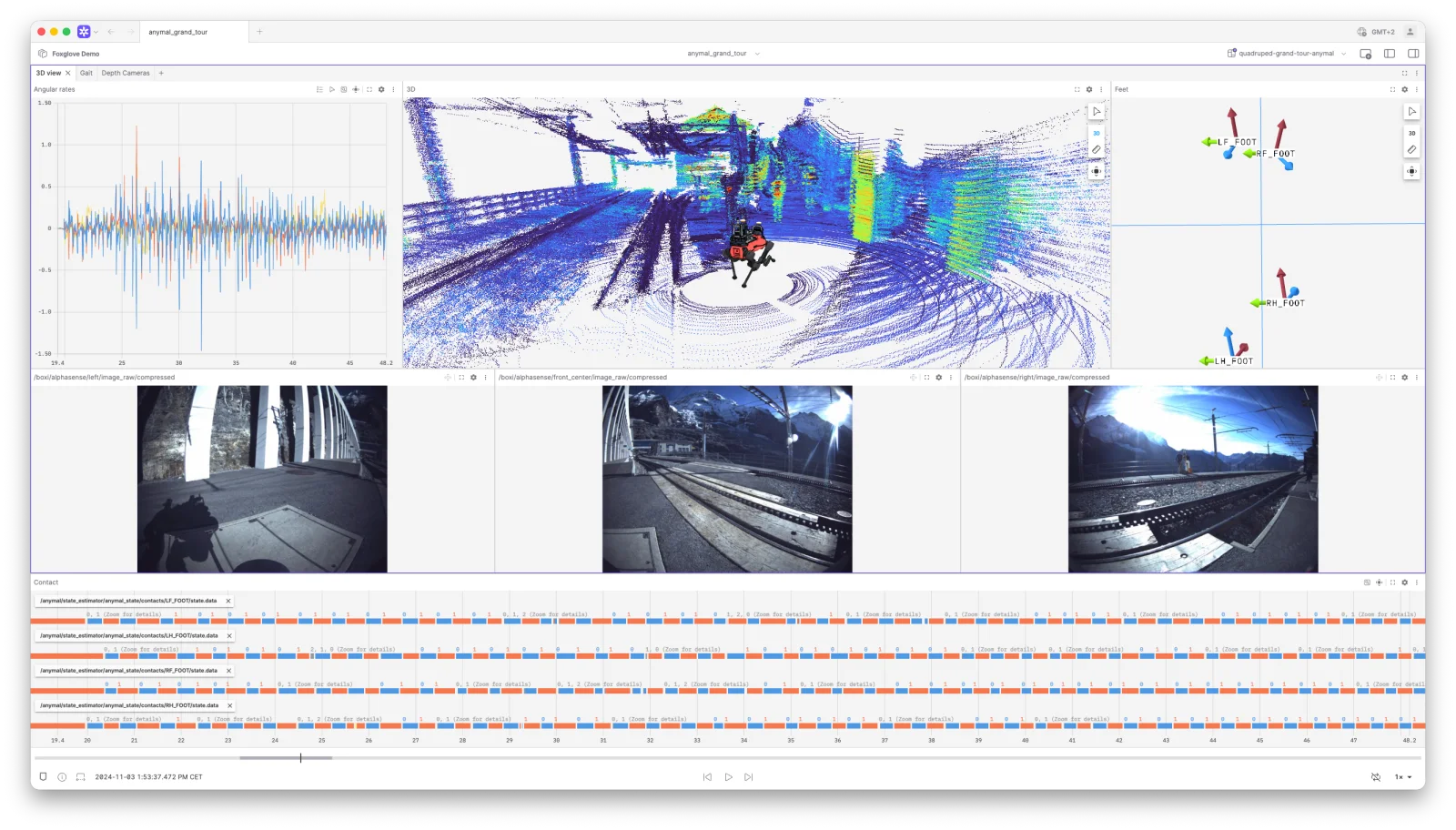
GrandTour Dataset visualized in Foxglove. Source: Robotic Systems Lab, ETH Zurich (Blog post)
“The lift on building custom robotics development tooling, specifically visualization, is so high that it detracts from the goal of building features and autonomy for the robots.” Vibhav Altekar, Co-founder & VP of Software, Saronic
2. An SDK to push data straight into Foxglove
A category on its own, Foxglove SDK is an open-source interface to Foxglove that makes it easier than ever to visualize complex robotics data in real time. Our SDK allows you to establish a direct WebSocket connection to Foxglove and visualize multimodal data cross-platform, without relying on any middleware. Python, C++, and Rust are supported out of the box, and the SDK makes it easy to record MCAPs.
3. A data layer that didn’t exist in 1.x
Studio 1.x opened files. That’s it. There was no concept of a recording catalog, no events, no devices, no search. Every team running Studio at any meaningful scale had to build that infrastructure themselves: S3 buckets, naming conventions, internal scripts, Slack threads asking “which recording had the planner regression?”
While it works perfectly fine without it, Foxglove now ships that layer directly integrated, should you choose to reach for it now, or in the future.
Data Search in Action
Data Search lets you query across messages, events, devices, recordings, and sessions with a visual query builder. No separate data warehouse, no second copy of your data to keep in sync. It works directly against MCAP files, whether hosted in Foxglove Cloud or on your own infrastructure. “Find all time ranges where lateral acceleration exceeds 5 m/s² on devices running firmware v2.0” is a query you build in the UI and stream results from in seconds.
Sessions group recordings into logical units, such as a drive, a flight, a mission, a test run, so analysis aligns with how you actually think about your data instead of how the recorder chunked the files.
Events are time-range annotations with typed properties. Mark a failed pick, an operator intervention, or a perception glitch once, and it’s queryable, shareable with teammates in one click, and curatable from then on. Event Types give those annotations a schema so every team member’s “pick failure” event looks the same.
Together, these turn Foxglove into a turn-key data flywheel. Query for every collision last week, review the matches on the timeline, annotate them with severity, and you have labeled data for triage, or your next model iteration. The same workflow in Studio 1.x is a Jupyter notebook and a long afternoon.
Bring Your Own Storage lets enterprise customers connect Foxglove to an existing AWS S3, Google Cloud Storage, or Azure Blob Storage bucket. Your raw MCAP data stays at rest in storage you already own and pay for. Foxglove manages indexing, query, and visualization compute on top. Pricing is usage-based — you pay for the work the platform actually does, not for the bytes you happen to be sitting on.
For teams whose data lives in something more exotic (Iceberg tables, internal warehouses, proprietary lakes) Remote Data Loaders provide a lightweight backend interface to expose any queryable source as MCAP on demand, with caching and streaming handled for you.
“We’re at a critical juncture as we deliver the first Embodied AI product set to automotive customers - so shaving days off our iteration cycle with Foxglove is a huge advantage.” J’aime Laurenson, Product Lead, Wayve
4. Fleet visibility, not just file analysis
Studio 1.x had no concept of a device. You opened a file. Whatever robot generated that file was incidental.
Foxglove treats devices as first-class. You register them once, attach typed custom properties, set retention policies, track property change history over time, and see fleet-wide coverage on a continuous, interactive timeline. When a field team asks: “What happened at 14:32 on robot RV-007 last Tuesday?”, you find it in seconds.
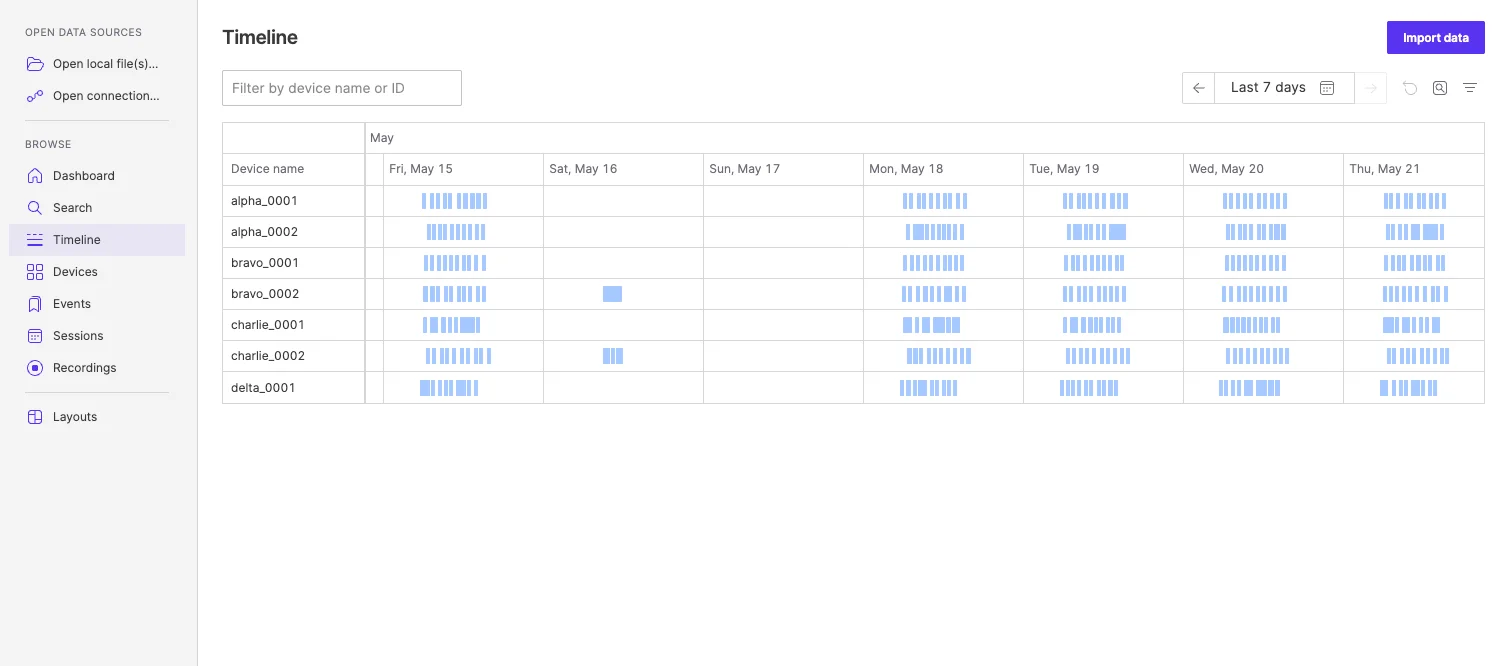
Timeline showing data from all devices in a single view
The newest piece, Remote Visualization & Teleoperation, extends this to live two-way connections. A secure, one-click connection to a robot in the field, over lossy or restricted networks, with no VPN required. It’s the difference between a tool you use after the fact and an operations console for the fleet.
5. Team and platform features
A short list of things that exist in commercial Foxglove and have never existed in the OSS:
- Shared layouts at the organization and team level, with history and folder organization
- Web and desktop with the same codebase let you share a link, and get the same view
- SSO via Google, Microsoft, or custom OIDC; SCIM provisioning on Enterprise
- Projects for data isolation between teams within the same organization
- REST API and webhooks for CI/CD integration let you trigger pipelines when recordings arrive, or events are created
- Embedded viewer with a TypeScript SDK and customizable keybindings for integrating Foxglove into your own review tools or operator dashboards
- AI-powered docs search and an in-product chat that knows your layouts, your data, and your docs
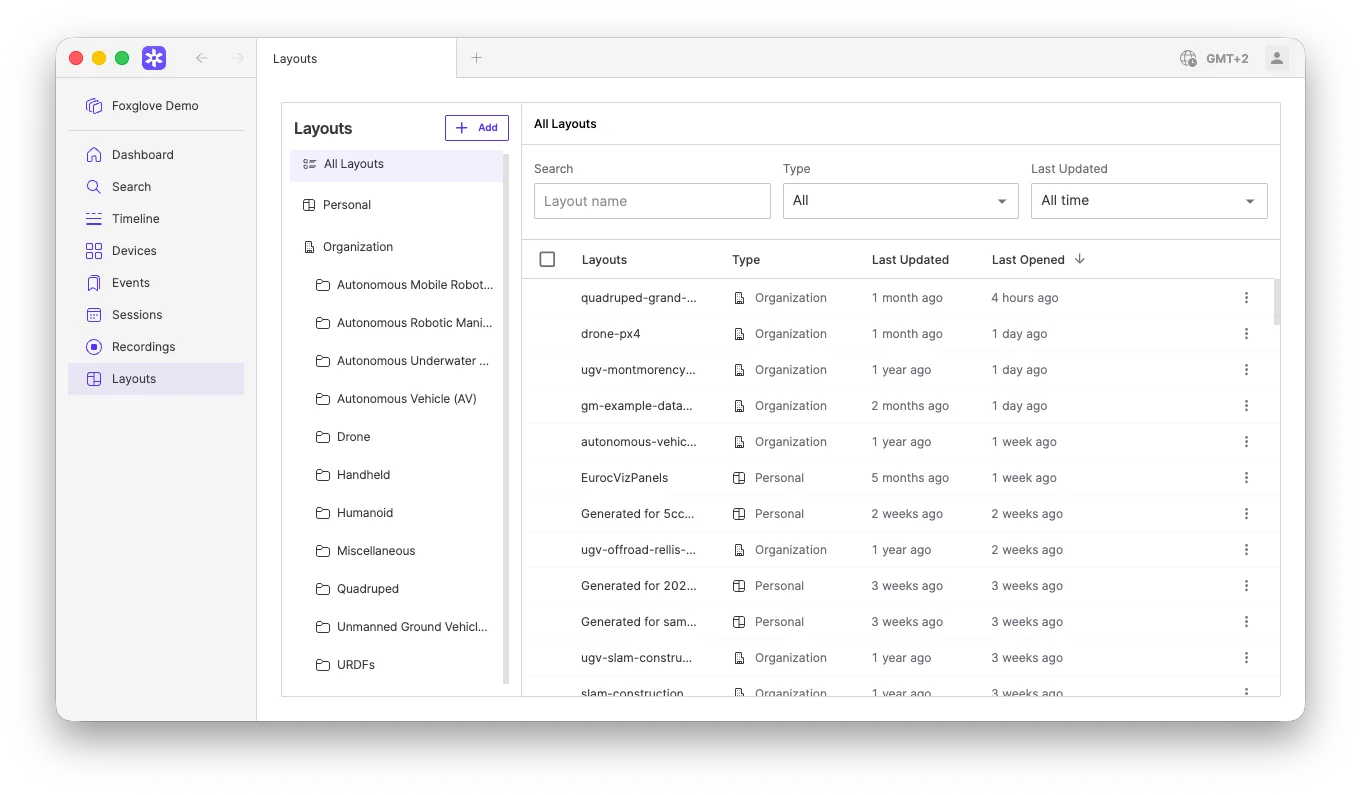
Layout view in Foxglove
“With Foxglove, everyone—from software engineers to field teams—can quickly understand and analyze robot performance without needing specialized environments.” Brenden Gibbons, VP of Software Engineering, Square Robot
Give your non-developers access for free
One of the loudest objections we’ve heard from Studio 1.x teams is seat cost. “I have 250 people on the team, but only 50 of them need Foxglove’s full depth. Why am I paying for seats for everyone?”
You’re not, anymore. Basic Seats are free, unlimited, and included on Pro and Enterprise plans. They give viewing access to Foxglove-hosted data with existing layouts. This is perfect for execs, ops teams, field engineers, contractors, and anyone who needs to look at robot data without authoring their own layouts. Pair them with paid Developer Seats for the engineers who actually build the views and do deeper analysis.
The self-service Pro plan also dropped its entry price significantly. Three Developer Seats and 1 TB of storage now start at $20/month, down from $126/month — a configuration most small teams can run real workloads on. Volume discounts kick in as usage grows. Details and the cost calculator are on the pricing page.
The hidden cost of forking
The seductive thing about an MPL-2.0 codebase is that “free” looks like it stays free. In practice, forking a robotics visualization tool means inheriting a long tail of maintenance you may not be planning for:
- Two years of upstream changes you’d need to replicate: all of the performance work above and a long list of bug fixes around streaming playback, video buffering, point cloud rendering, and codec support
- Ongoing security and dependency updates: Electron, browser engine, native modules, image and video decoders
- Codec and schema compatibility: new MCAP features, new image and video encodings, and new sensor schemas all need to be brought across or written from scratch
- The data, fleet, and collaboration layer that doesn’t exist in the OSS in the first place
We’ve seen teams underestimate this and end up with a fork that lags 6, 12, 18 months behind, accumulates known bugs, and quietly becomes a full-time job for a team of senior engineers. Those engineers’ time is the most expensive part of your roadmap. Pulling them off the core value you’re delivering to market to maintain a visualizer is rarely the trade you want.
The alternative is to let us do that work, which is what we do all day.
What hasn’t changed
MCAP is and always will be open source. github.com/foxglove/mcap. The format, the libraries, and the CLI are all Apache-2.0, actively developed, and free. Your data isn’t locked in. You can open it with anything that reads MCAP, today and indefinitely.
Layouts, data, and panels are portable. Layouts are JSON; you can export them from Studio 1.x and import them into Foxglove. Recordings are MCAP or ROS bag, which both products read natively. The migration from Studio 1.x to Foxglove is genuinely low-friction. Most teams move over a long weekend and keep both available during the transition.
How to evaluate
The free tier of Foxglove lets you try almost everything with no time limit: all panels, web and desktop access, 3 developer seats, 10 GB of cloud storage, 5 connected devices, included query capabilities, unlimited personal layouts, and live connections to robots. The right way to evaluate is to put your own data in it.
- Sign up for free: no credit card, no sales call
- Drop in your MCAP or ROS bag files: same formats Studio 1.x reads
- Try a real workflow: pick one debugging or triage task that frustrates your team today and run it end-to-end in Foxglove with Data Search and Events
If you’re operating at enterprise scale with large fleets, petabyte-scale data, self-hosted storage, SSO, and compliance requirements, talk to our team. Bring Your Own Storage, Primary Sites, and Projects exist for exactly that conversation.
“The very first time we tried Foxglove, we pinpointed a mis-configured trajectory in under an hour—something invisible to the naked eye.” Fifi Yeung, Founding Engineer, Reframe Systems
Making your decision
If you’re one developer working with one bag file at a time on one laptop, Studio 1.x and its forks still do the job. Use them with our blessing.
If you’re a team scaling from prototype to production, with more data and more devices than you had a year ago, the gap between commercial Foxglove and a frozen 2024 OSS release, or its lightly maintained forks, isn’t about a feature list. It’s a different tool category. Foxglove today is the data infrastructure your engineers will end up building themselves if you don’t bring it in. The question is whether your roadmap can afford that build.
Try it on your data. See for yourself.