Track device property changes over time in Foxglove
Property history keeps every change to device metadata so you can see when values entered and exited each state.


Device properties in Foxglove are a simple way to attach metadata to a device. They’re flexible key-value pairs that can represent booleans, text values, arrays, JSON, and more. Teams use them to capture important context such as environment, configuration, feature flags, and other operational details.
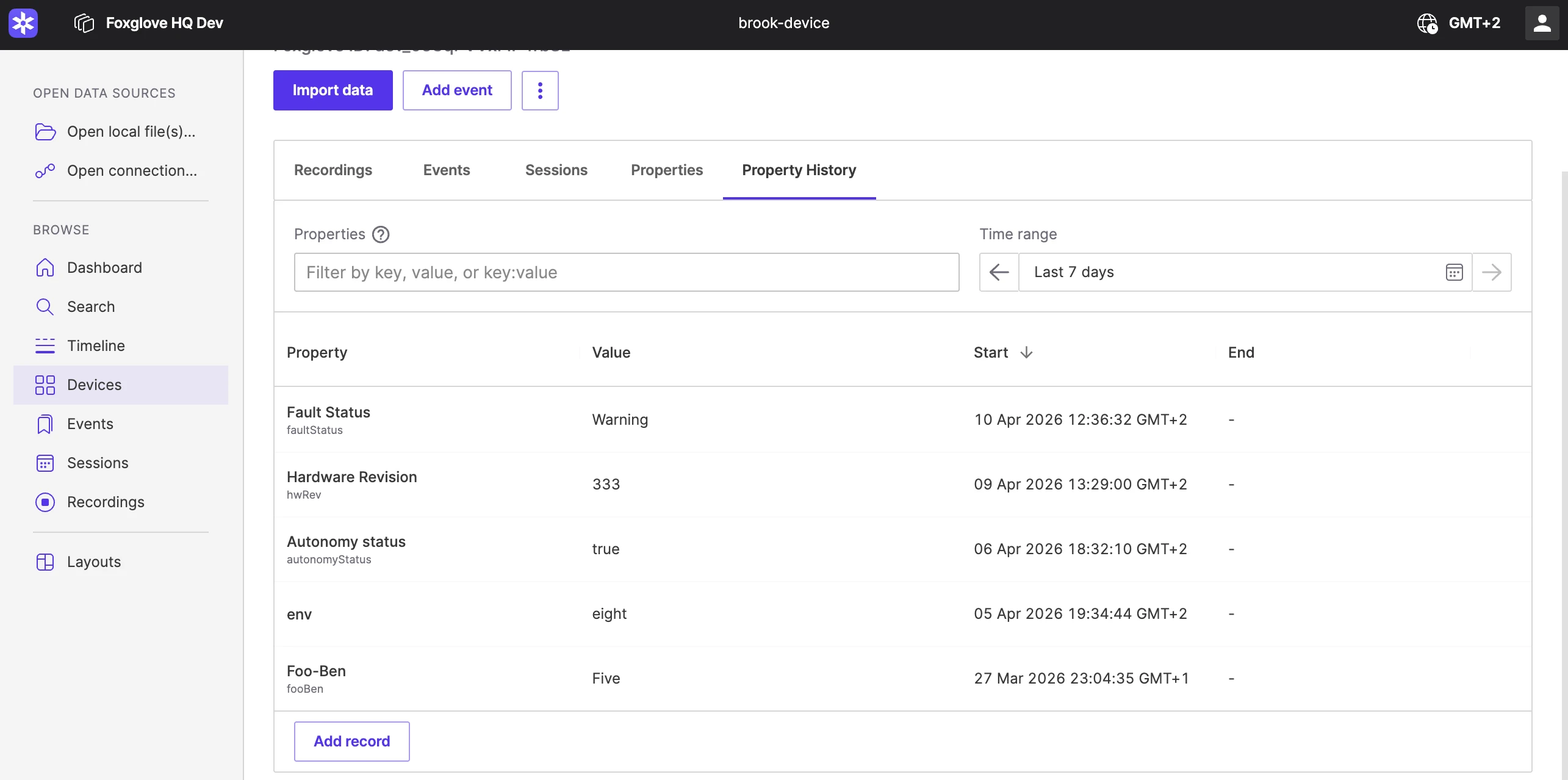
Until now, properties were useful for showing a device’s current state, but they didn’t preserve how that state changed over time. Once a property was updated, the previous value was gone. That made it difficult to answer basic but important questions: When did a device move from staging to production? How long was a flag enabled? Which configuration was active during a specific test?
With Property history, Foxglove now keeps a record of every change to device properties, whether the update happens in the Properties tab or through the API.
See the full timeline for a property
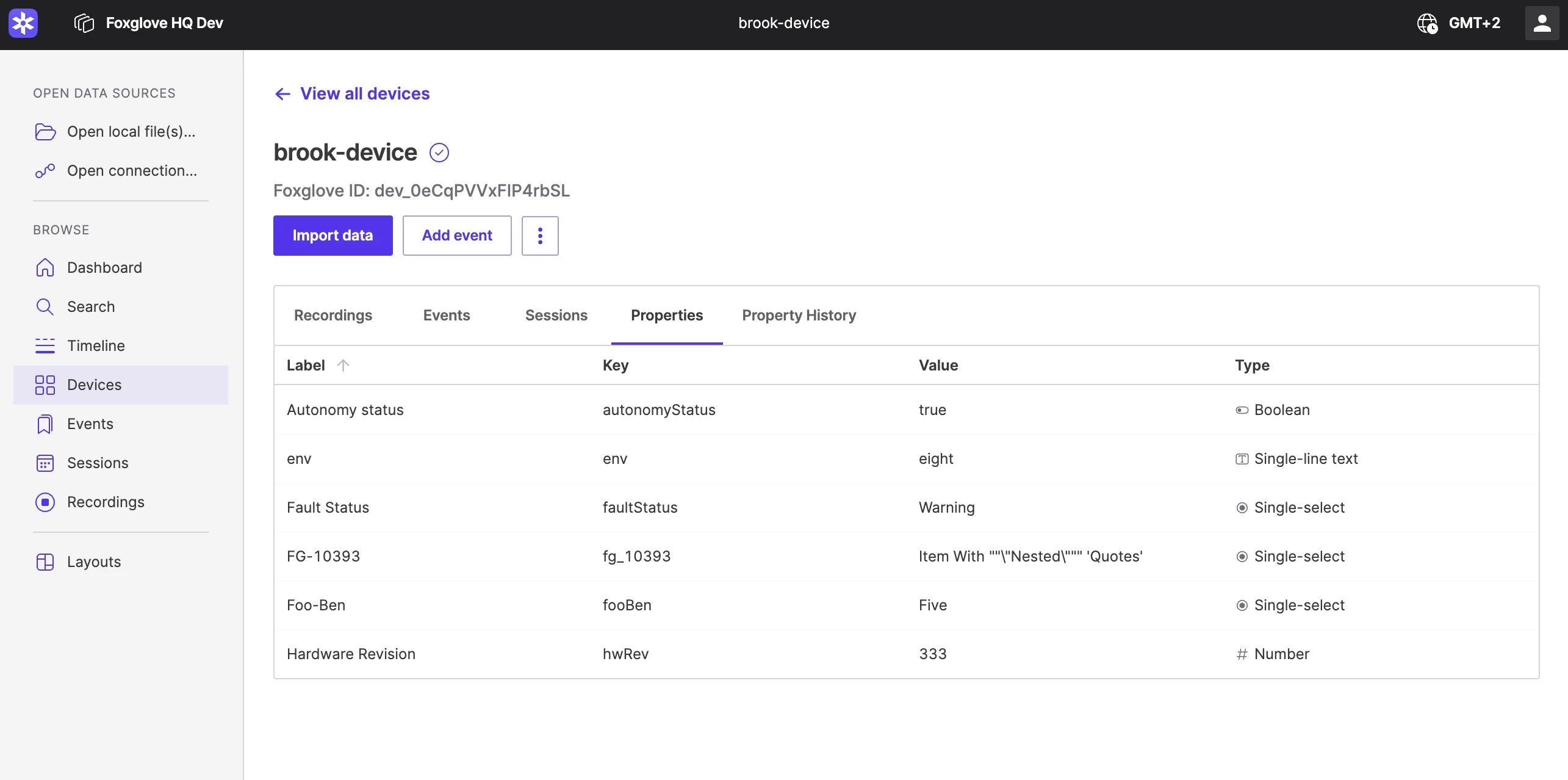
The new Property history view makes it easy to inspect how a property changes over time for a specific device.
You can start with a recent window, such as the last seven days, and expand the time range when you need more context. The view is fully filterable and supports the same query syntax Foxglove users already know from sessions and devices. That means you can quickly narrow in on the property you care about and review its full history.
Instead of only showing the latest value, Foxglove shows when a property entered a state and when it exited that state. In practice, that turns device metadata from a static label into a usable timeline.
Correct or backfill property history when needed
Property history is not just a passive record. It can also help teams maintain a complete and accurate record when updates need correction or backfilling.
If a value was entered incorrectly, you can edit an existing record inline. If a state change was missed entirely, you can insert a new record to reflect what actually happened. This makes property history useful not only for ongoing device operations, but also for cleanup workflows and historical reconstruction.
For teams managing fleets over long periods of time, that flexibility matters. Metadata is most valuable when it reflects reality, even if you need to refine it after the fact.
Turn metadata into operational insight
Historical property data makes device metadata significantly more useful.
Teams can use it to understand when a device changed environments, reconstruct the operational state during an incident, or correlate recorded behavior with the property values active at that moment. A property like env, for example, becomes much more informative when you can see not only that a device is in production now, but exactly when it entered production and what state it was in beforehand.
This also opens the door to richer configuration-tracking workflows. In robotics and autonomy systems, configuration changes can have a major impact on system behavior. Being able to track those changes over time—and connect them back to logs, recordings, or test results—can make debugging and validation much easier.
From static metadata to a living timeline
Device properties have always been a convenient way to attach important information to a device. With Property history, they become much more than a snapshot.
Teams can now preserve the story of how device state changes over time, inspect that history when they need answers, and maintain it as part of their broader operational workflow. For anyone already using device properties to track environment, configuration, or runtime state, Property history adds the missing temporal context.
That means less guesswork, better traceability, and a much clearer understanding of what changed, when it changed, and why it mattered.
Resources
Learn more about devices in Foxglove, and join our Discord community or follow us on X and LinkedIn to stay up to date on releases.