
Datasets
Versioned robot data, from the moment you find it to the run that trains on it.
01
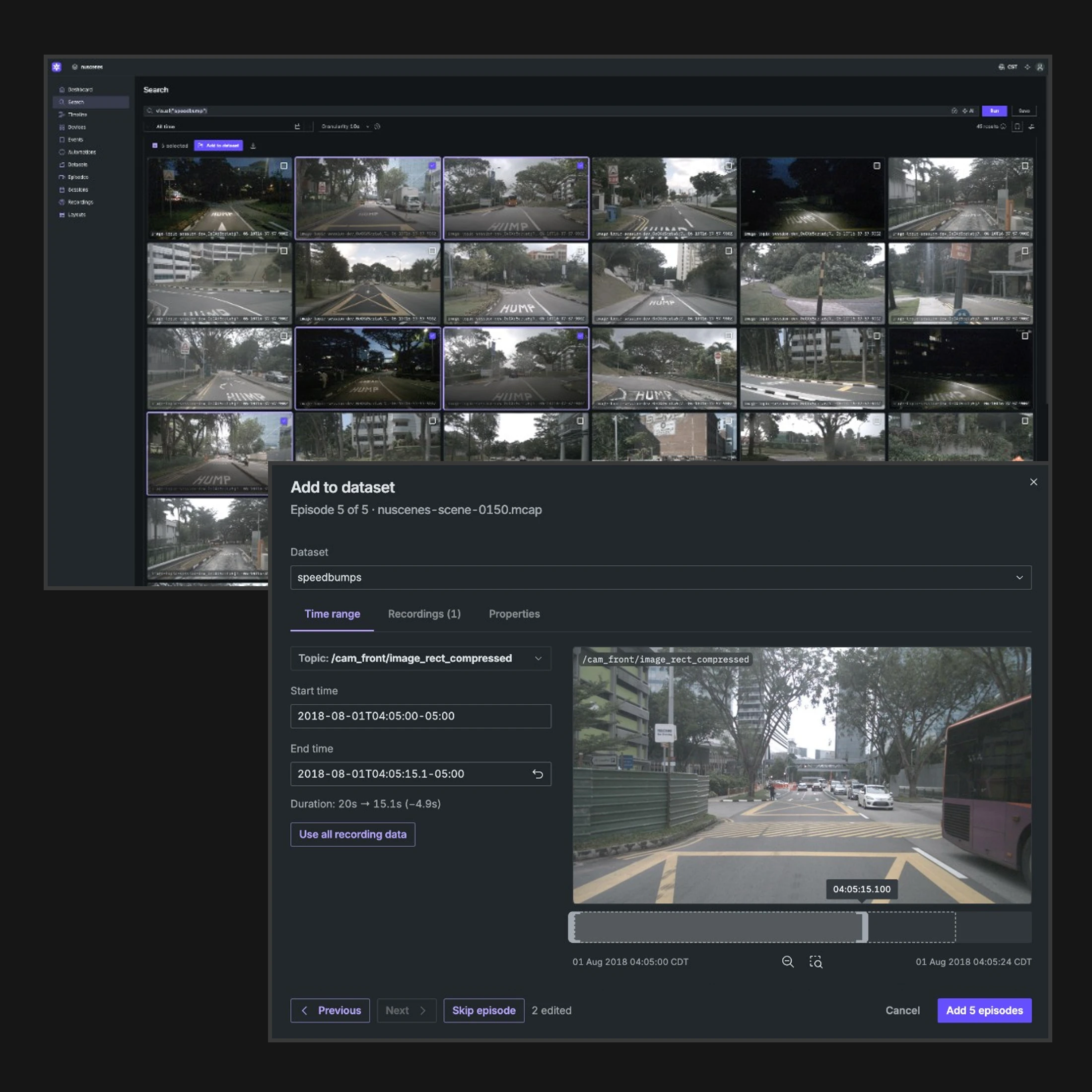
Turn moments into episodes, without copying the data.
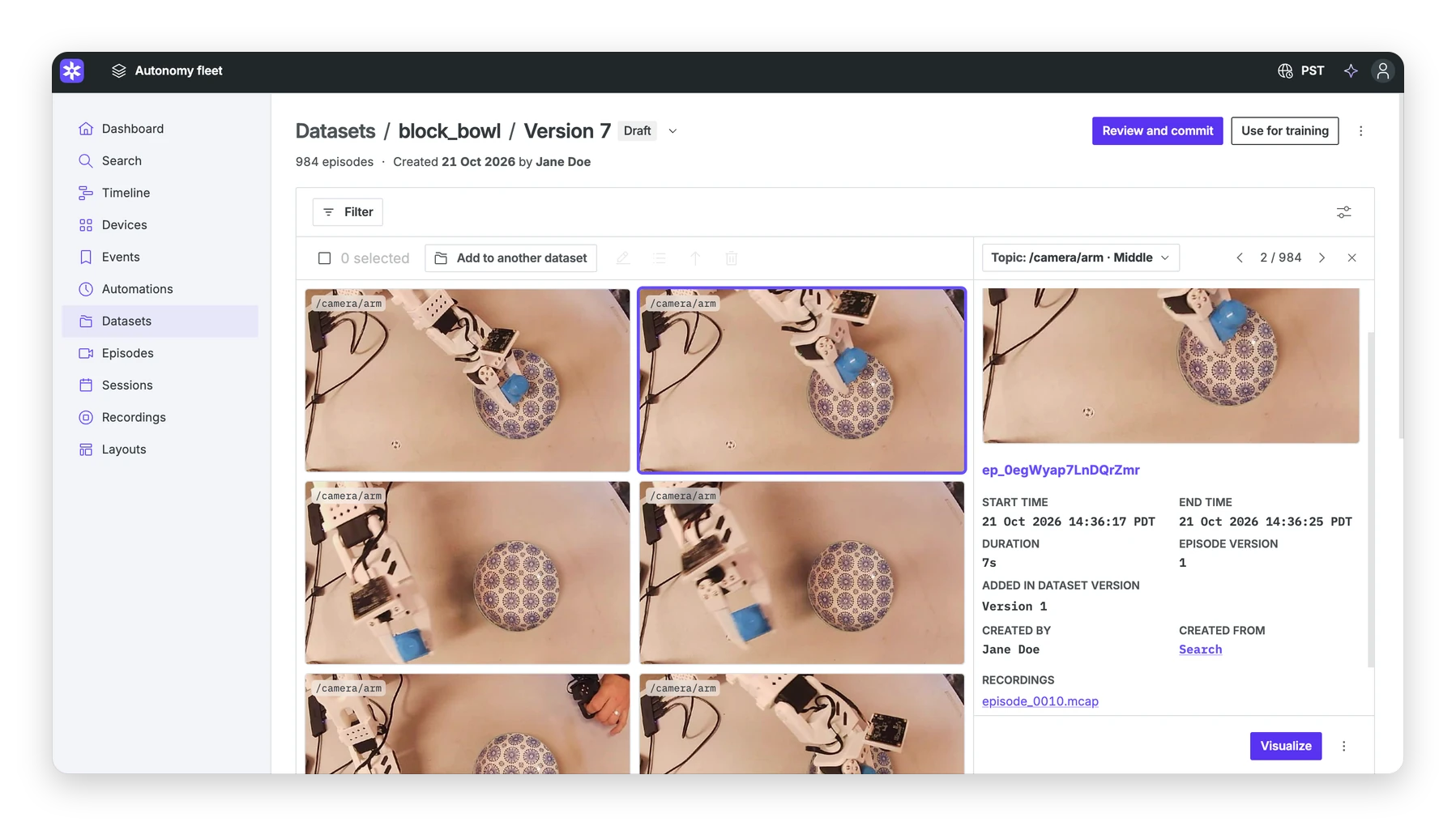
Create episodes from search results, recordings, events, sessions, a range you mark during playback, or an automation as new data comes in. An episode is a time range over recordings from one device, so overlapping examples share the same sensor data. Trim the range while you watch it, and set properties for labels and tags.
02
Look at the dataset before you spend GPU time.
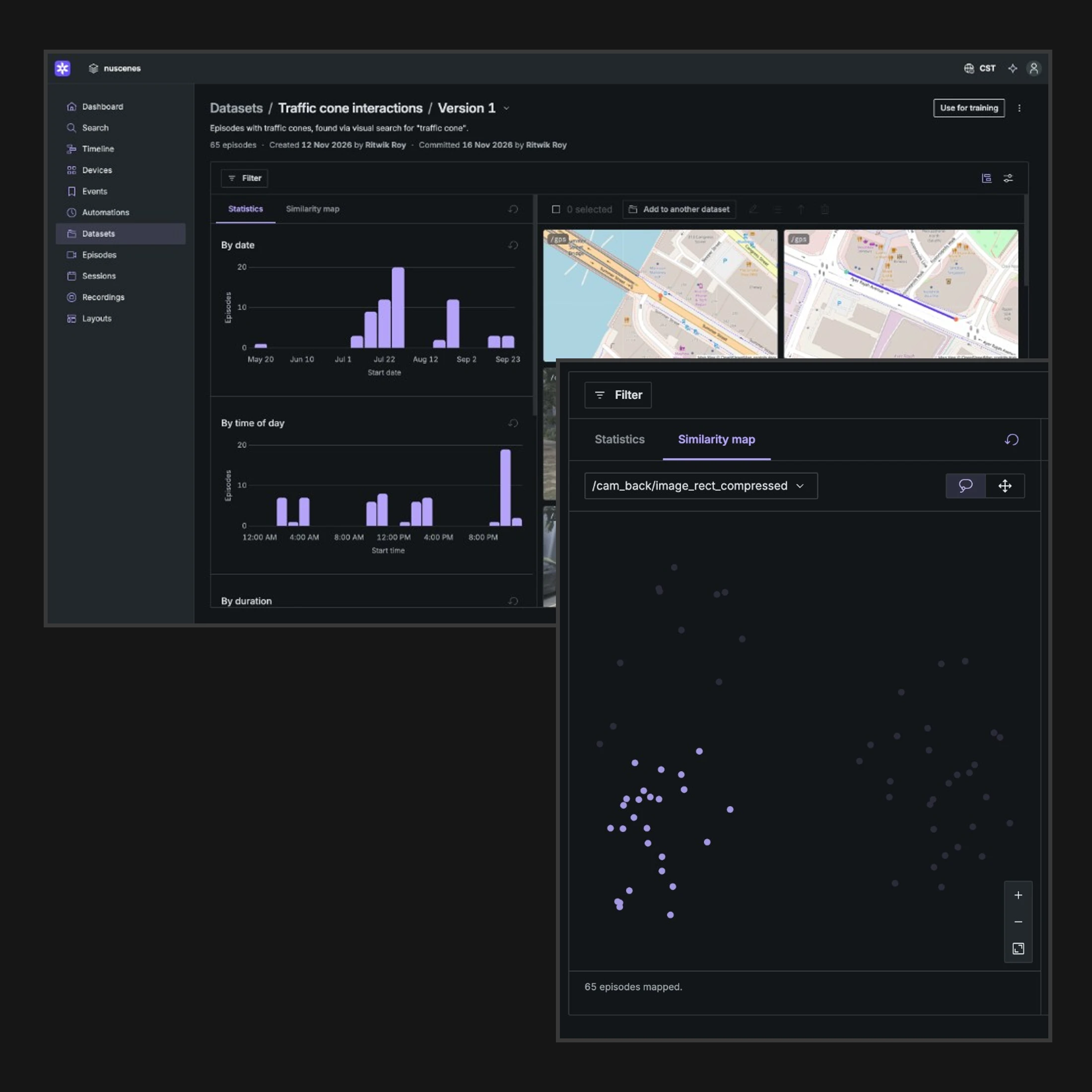
Review episodes in a gallery, then check the set as a whole. Histograms show outliers and gaps, such as a dead camera or a lopsided mix of tasks. The embedding view clusters visual data, so you can see where episodes are near-duplicates or where coverage is thin.
03
Commit the version a model trains on.
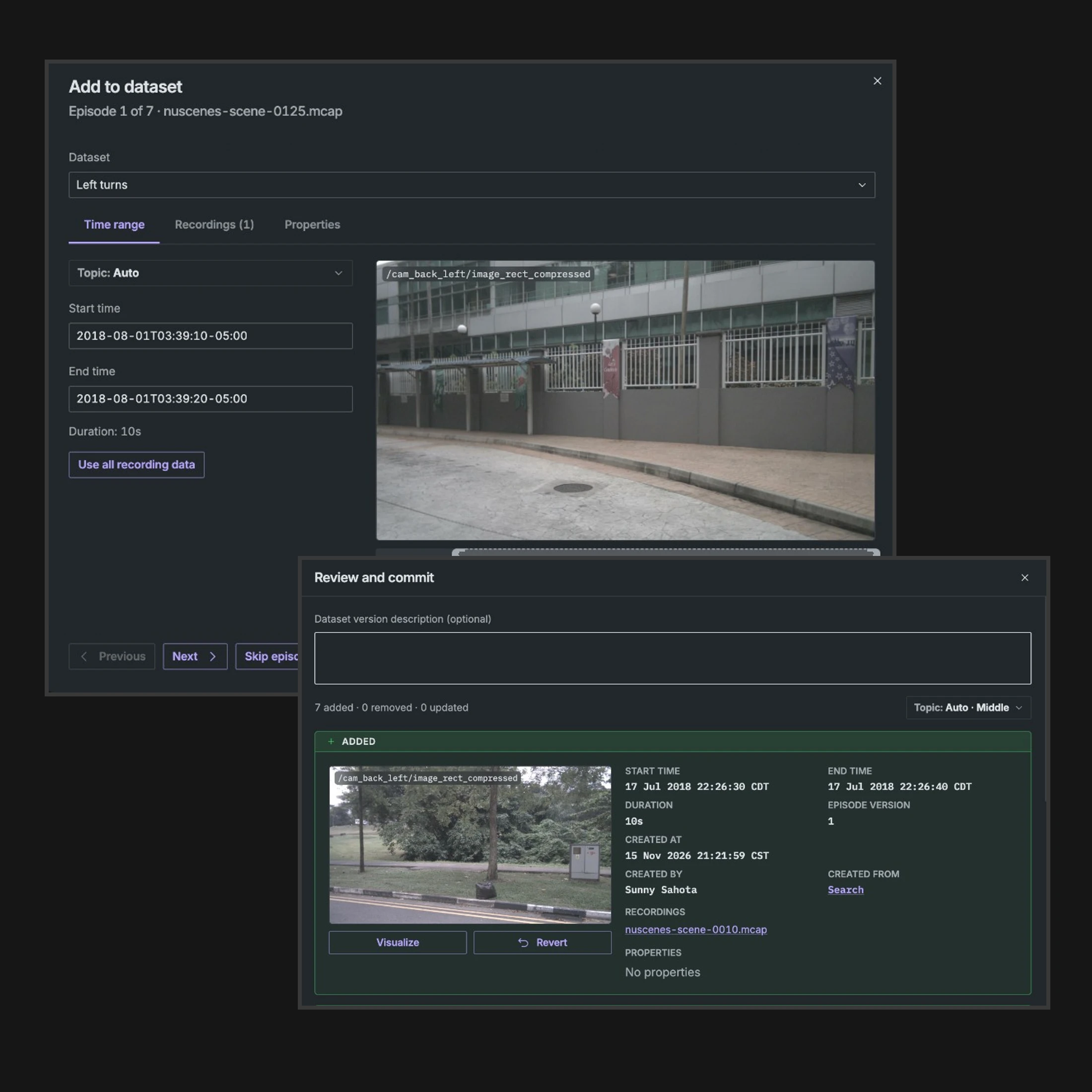
Edits stay in a shared draft until you commit, which for most teams is right before a training run. A committed version records who committed it, when, and the episode versions it used, including each time range, recording, and properties. Later trims and label changes do not change a version you have already committed, so you can open the set a checkpoint trained on.
How it works.
Does building a dataset copy my data?
No. An episode references recordings and a time range, and those recordings must come from the same device and the same Primary Site. Many episodes can overlap on one recording, and the sensor data is stored once. If a recording is later deleted, the episode and its history stay, but that data is no longer available. A dataset version that uses it cannot be streamed for training or downloaded.
What does a committed version lock in?
The episodes in the dataset and the version of each one, including its time range, recordings, and properties, plus who committed it and when. Further edits create new episode versions and do not change versions you have already committed. Link the version with your checkpoint so you can return to it when a model regresses. See the Datasets docs to get started.
How do I connect a dataset to training?
From a dataset, Use for training generates PyTorch or Ray loader code, and Copy prompt gives the same details to a coding agent. The loaders stream a committed version from object storage. To use another tool, read the version with the Python client or download it as one MCAP file per episode, plus a manifest. On an index-in-place site, training can read the original files straight from your bucket. A webhook fires when a version is committed.
Where is Datasets available, and what does it cost?
Datasets is available on Foxglove-hosted, Bring Your Own Storage, and self-managed deployments, on every plan. Creating datasets and dataset versions is free. Episodes count toward your monthly usage once, when they are created. The pricing page has the allowance for each plan.